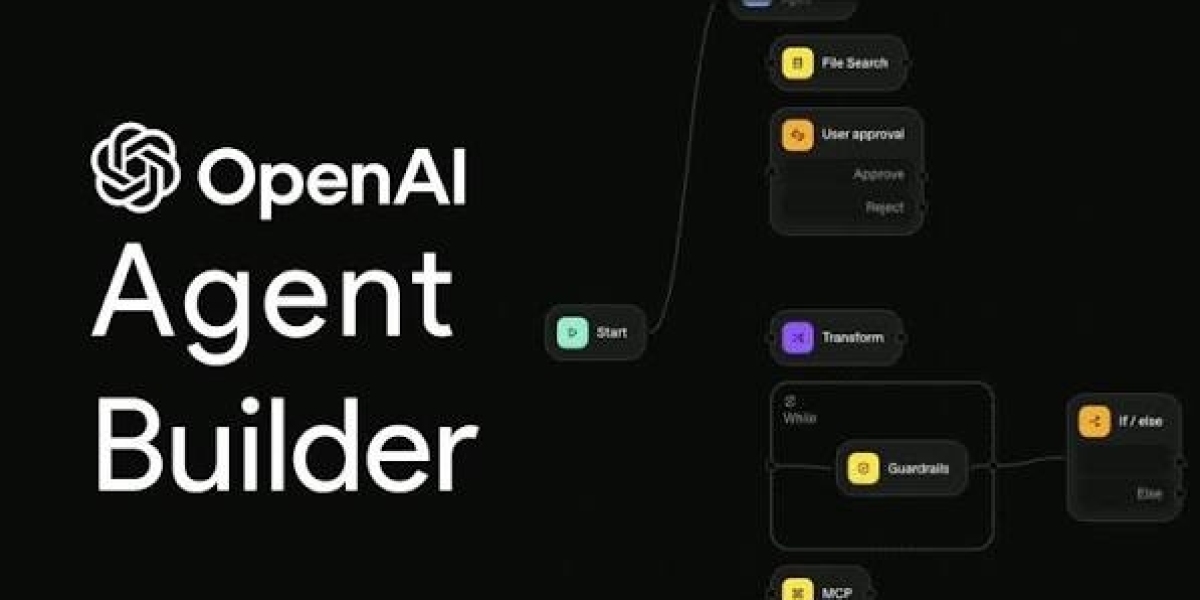

Artificial intelligence is transforming how businesses operate, manage information, and complete everyday tasks. An AI agent builder helps individuals and organizations create intelligent agents that can understand instructions, process information, use connected tools, and perform specific tasks with less manual effort. These platforms make AI development more accessible to people who want to automate workflows without building an entire system from scratch.
The growing interest in AI agent builders comes from the need for faster, more flexible, and more efficient business processes. Companies can use AI agents to support customer service, organize sales activities, analyze information, manage internal requests, and simplify repetitive administrative work.
Unlike traditional automation tools that follow fixed instructions, AI agents can interpret requests and adapt their approach within defined limits. An AI agent builder provides the environment needed to configure these capabilities, connect relevant applications, and test how an agent performs.
Whether you are exploring AI automation for your business or looking for a practical way to build a customized assistant, understanding AI agent builders can help you make better technology decisions.
What Is an AI Agent Builder?
An AI agent builder is a software platform that allows users to create, customize, test, and deploy AI agents for specific purposes. It typically combines artificial intelligence models, instructions, data sources, integrations, and workflow controls within a single development environment.
An AI agent can do more than generate a response to a question. Depending on its configuration, it may retrieve information from a knowledge base, decide which tool to use, perform an approved action, and report the outcome to the user.
For example, an e-commerce business could create an AI agent that answers product questions, checks approved order information, and guides customers through routine support requests. A marketing team could use another agent to organize keyword research, summarize campaign performance, or prepare content briefs.
An AI agent builder makes these solutions easier to develop by offering visual editors, reusable templates, configuration settings, and connections to external applications.
Some builders are designed for nontechnical users, while others provide advanced customization for developers. The right option depends on the complexity of the task, the required integrations, the available budget, and the level of control needed.
How Does an AI Agent Builder Work?
An AI agent builder turns a defined business goal into a configurable system that can interpret requests and perform suitable actions.
Defining the Agent's Goal
The first step is identifying what the agent should accomplish. A clear goal helps determine the information it needs, the tools it can access, and the results it should produce.
For instance, an organization might create an agent to answer employee questions about company policies. Another business might need an agent that organizes customer inquiries and prepares responses for review.
A focused objective makes development easier and provides a clear way to evaluate performance.
Configuring Instructions
Instructions explain the agent's responsibilities, communication style, operating rules, and limitations. They guide how the agent interprets requests and responds to different situations.
Effective instructions also explain what the agent should do when information is missing, a request is unclear, or a task falls outside its permitted responsibilities.
Connecting AI Models and Knowledge Sources
AI models help agents understand natural language, interpret context, and generate responses. Depending on the platform, users can connect approved documents, databases, websites, and internal knowledge repositories.
Access to relevant information can improve the usefulness of an agent. However, the quality of its output depends on the accuracy and relevance of the information available to it.
Adding Tools and Integrations
Integrations allow agents to interact with business applications. Depending on their permissions, agents may retrieve records, create tasks, update information, prepare email drafts, or send approved data between connected systems.
These capabilities transform an AI agent from a conversational assistant into a more practical workflow tool.
Testing and Deployment
Before an agent is released, it should be tested using realistic requests and challenging scenarios. Testing helps identify inaccurate answers, missing information, integration problems, and unexpected actions.
Once the agent performs reliably, it can be deployed to an appropriate environment. Ongoing monitoring helps maintain quality as business requirements and connected systems change.
Essential Features of an AI Agent Builder
The features available in an AI agent builder influence how easily users can create reliable and useful agents.
No-Code and Low-Code Development
No-code interfaces allow users to configure agents through visual controls rather than writing extensive programming code. Low-code platforms provide similar convenience while allowing technical customization when necessary.
These approaches make AI development more accessible to business owners, marketers, operations teams, and other professionals.
Workflow Automation
Workflow automation enables agents to coordinate related activities. An agent might receive a request, identify its category, retrieve relevant information, prepare an output, and send it to the appropriate destination.
This approach can reduce repetitive work and help organizations maintain consistent processes.
Integration Capabilities
A capable builder should support the applications and data sources required for the intended workflow. These may include customer management systems, communication tools, project management software, databases, and document platforms.
Before selecting a builder, verify that its integrations support the actual actions your agent needs to perform.
Memory and Context
Some AI agents can retain relevant conversational context or use approved memory systems to support ongoing tasks. This can make interactions more natural and reduce the need for users to repeat information.
Memory should be configured carefully to protect confidential information and prevent unnecessary data retention.
Security and Permissions
Security features help organizations control which information an agent can access and what actions it can perform. Important safeguards include authentication, role-based permissions, audit logs, data protection, and approval requirements.
Agents should receive only the access necessary for their responsibilities.
Performance Monitoring
Monitoring tools help users evaluate response quality, task completion, processing time, errors, and operating costs. These measurements make it easier to identify weaknesses and improve an agent after deployment.
Benefits of Using an AI Agent Builder
Increased Productivity
AI agents can handle suitable repetitive activities, allowing employees to concentrate on work that requires creativity, communication, and professional judgment.
Tasks such as summarizing documents, organizing requests, retrieving information, and preparing routine communications can become more efficient.
Reduced Manual Work
Many organizations spend considerable time moving information between applications and completing administrative tasks. An AI agent builder can help automate these activities when suitable integrations and permissions are available.
Reducing manual effort can also lower the risk of mistakes associated with repetitive data handling.
Improved Customer Support
AI agents can answer common questions, retrieve relevant information, and guide customers through routine processes. They can also help support teams organize incoming requests and prioritize issues.
Human assistance remains important when customers have complicated problems, sensitive concerns, or requests that require individual judgment.
Flexible Automation
AI agent builders allow organizations to create solutions around their own business requirements. Instead of relying on a single general-purpose assistant, teams can configure specialized agents for different departments and workflows.
This flexibility helps businesses adapt automation as their needs evolve.
Faster Development
Visual builders, templates, and reusable components can reduce the effort required to develop an AI solution. Teams can test ideas, gather feedback, and improve an agent without creating every component from scratch.
However, advanced integrations and complex workflows may still require development expertise.
Common Use Cases for AI Agent Builders
Customer Service and Support
Customer service agents can answer frequently asked questions, retrieve approved product information, categorize support requests, and guide users toward appropriate solutions.
When a problem requires human expertise, the agent can transfer the request to a support representative with relevant context.
Sales and Lead Management
Sales teams can use AI agents to organize lead information, summarize customer conversations, prepare follow-up messages, and identify opportunities that may need attention.
These capabilities help sales professionals spend more time communicating with potential customers and less time completing repetitive administrative tasks.
Marketing and Content Creation
Marketing professionals can use AI agents to organize keyword research, develop content outlines, summarize research, prepare campaign ideas, and review performance reports.
Human review is still necessary to ensure factual accuracy, brand consistency, originality, and compliance with publishing requirements.
Business Operations
Operational agents can assist with internal requests, organize documents, retrieve information, and coordinate routine processes across connected applications.
For example, an agent could classify incoming requests and direct them to the appropriate department based on predefined rules and available information.
Data Analysis and Reporting
AI agents can help users retrieve relevant records, summarize business reports, identify patterns, and prepare explanations of available data.
The reliability of these outputs depends on accurate source information, appropriate access permissions, and careful validation.
Human Resources
Internal HR agents can help employees locate company policies, understand onboarding procedures, find relevant documents, and navigate routine administrative processes.
Sensitive employment decisions should remain subject to appropriate professional review and organizational safeguards.
E-Commerce
Online retailers can use AI agents to assist with product discovery, answer common shopping questions, organize customer feedback, and support routine order inquiries.
Actions involving payments, refunds, account changes, or personal information require suitable verification and authorization.
How to Choose the Best AI Agent Builder
Selecting the right platform requires understanding your objectives and comparing its capabilities with your practical needs.
Understand Your Requirements
Begin by identifying the specific task you want to automate. Determine whether you need a conversational assistant, an internal knowledge agent, a customer service solution, or a more advanced workflow automation system.
A clear objective helps prevent unnecessary complexity and makes it easier to evaluate results.
Evaluate Ease of Use
Beginners may benefit from visual editors, guided setup, templates, and straightforward testing features. Developers may prefer platforms that support custom code, advanced integrations, and greater control over how agents operate.
Choose a solution that matches your team's experience and technical resources.
Check Integration Support
Review whether the platform connects with your existing business applications, databases, and knowledge sources. Confirm that the integrations support the necessary actions rather than only allowing the agent to view information.
Compare Pricing
AI agent builders may charge subscription fees, usage-based costs, or additional charges for integrations and advanced capabilities.
Consider the expected operating costs, maintenance requirements, and potential savings before making a decision.
Review Security and Privacy
Check how the platform handles confidential information, access permissions, authentication, and data protection. Organizations working with sensitive records should pay particular attention to governance and compliance requirements.
Test Before Scaling
Start with a manageable use case and evaluate the agent under realistic conditions. Review its accuracy, task completion, response quality, and ability to handle unexpected requests.
A successful pilot can provide valuable evidence before the solution is expanded across the organization.
AI Agent Builder vs. Traditional Chatbot Builder
An AI agent builder and a chatbot builder may share some features, but they are designed for different levels of functionality.
A traditional chatbot builder commonly focuses on conversations, predefined responses, and structured dialogue flows. It can be useful for answering frequently asked questions and guiding users through predictable interactions.
An AI agent builder focuses more broadly on achieving goals through reasoning, connected tools, and multi-step actions. Depending on its configuration, an agent may retrieve information from several systems, determine the next appropriate step, and complete a task within defined boundaries.
For example, a basic chatbot might explain a company's return policy. An AI agent could retrieve an approved order record, assess the request against the applicable policy, and prepare a return request for confirmation.
The distinction is not absolute because modern chatbot platforms can also support integrations and automation. The best choice depends on whether your primary need is structured conversation, goal-oriented task completion, or a combination of both.
Challenges and Limitations of AI Agent Builders
Despite their advantages, AI agent builders require thoughtful planning and ongoing management.
AI agents can misunderstand instructions, generate inaccurate information, or take inappropriate actions if their tools and permissions are poorly configured. Their performance depends on the underlying model, the available information, and the quality of the workflow design.
Integrations can introduce technical challenges when applications use different formats or access requirements. Some platforms also have limitations involving customization, scalability, pricing, and data portability.
Security is another important consideration. Agents that access internal documents or customer records need carefully managed permissions and appropriate data protection measures.
Businesses should also recognize that not every task benefits from AI automation. Simple processes with predictable outcomes may be better handled by traditional software rules.
Human oversight remains essential for sensitive decisions, financial transactions, confidential information, and situations in which mistakes could have significant consequences.
Best Practices for Building Effective AI Agents
Start with a clear purpose and a manageable workflow. Choose a task that is suitable for automation and define what a successful outcome looks like.
Provide reliable information and clear instructions. Specify which tools the agent may use, which actions require approval, and when it should ask for clarification or transfer a request to a person.
Apply the principle of least privilege by granting only the access required to complete the assigned task. Use confirmation steps for sensitive or irreversible actions.
Test the agent with realistic requests, incomplete information, unusual situations, and conflicting instructions. Evaluate both its responses and its ability to complete the intended workflow safely.
After deployment, monitor performance and collect feedback. Update knowledge sources, investigate errors, review costs, and improve instructions as business needs change.
A well-maintained AI agent should be treated as an ongoing business system rather than a tool that can be configured once and ignored.
Frequently Asked Questions About AI Agent Builders
What Is an AI Agent Builder?
An AI agent builder is a platform for creating and managing intelligent agents that can understand requests, use connected tools, retrieve information, and complete defined tasks. It helps individuals and businesses develop AI-powered solutions without building every component from scratch.
Can I Build an AI Agent Without Coding?
Yes, many platforms provide no-code interfaces, visual workflows, and templates. These features allow beginners to configure basic agents without extensive programming knowledge. More advanced projects may require coding for specialized integrations or custom functionality.
What Can an AI Agent Builder Automate?
An AI agent builder can support customer service, sales administration, content workflows, data retrieval, reporting, internal knowledge management, and other repetitive processes. The available automation depends on the platform, its integrations, and the agent's permissions.
Are AI Agent Builders Free?
Some platforms provide free plans, trials, or open-source development options. Others require subscriptions or charge according to usage and available features. Users should compare total costs before selecting a solution.
Is an AI Agent Different From a Chatbot?
A chatbot primarily focuses on conversations, while an AI agent may also use tools, retrieve information, and perform actions to achieve a goal. Some modern chatbots include agent-like capabilities, so the distinction depends on the system's design and functionality.
Are AI Agents Suitable for Small Businesses?
Yes, small businesses can use AI agents to answer common customer questions, organize leads, prepare content, and simplify administrative work. Starting with a clearly defined task can help businesses evaluate the value of automation without making a large initial investment.
How Can I Make an AI Agent More Reliable?
Use clear instructions, accurate knowledge sources, appropriate permissions, realistic testing, and human approval for sensitive actions. Monitoring performance and correcting recurring problems can also improve reliability over time.
What Should I Look for in an AI Agent Builder?
Consider ease of use, supported AI models, integration options, workflow capabilities, security, monitoring, pricing, and scalability. The best platform is one that meets your actual requirements and can be maintained effectively.
Conclusion
An AI agent builder makes it easier to create intelligent systems that support business operations, automate repetitive work, and improve access to useful information. By combining AI models, clear instructions, reliable data, and connected applications, these platforms help organizations develop solutions for customer support, marketing, sales, reporting, and internal workflows.
Choosing the right builder requires careful evaluation of usability, integration support, pricing, security, and customization options. Equally important is defining a clear objective, testing the agent thoroughly, and maintaining appropriate human oversight.
AI agents are not a replacement for sound business processes or professional judgment. Their greatest value comes from handling suitable tasks while people remain responsible for important decisions and sensitive actions.